OPENLANE Canada Quick Tip: Navigating Vehicle Details Pages
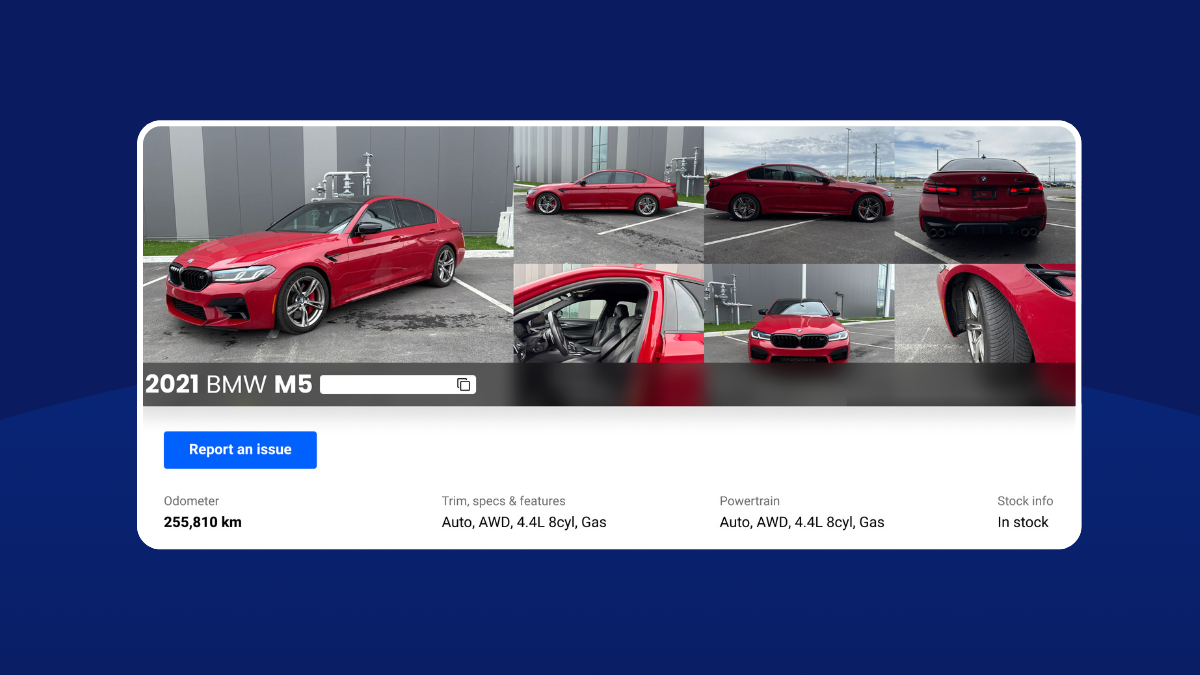
Before we show you how to navigate our Vehicle Details Pages, let’s do a quick overview of what they are and the information they provide.
What Are Vehicle Details Pages?
Each vehicle listing on our marketplace has a Vehicle Details Page. They are comprehensive summaries of each vehicle that arm buyers with all the information they need to bid confidently, while empowering sellers to provide transparent details that build trust and attract serious buyers.
So, whether you’re a buyer or a seller, our Vehicle Details Pages are important to your success.
What Do They Feature?
You will see everything from the general vehicle condition, down to the nitty gritty details. That includes the vehicle history, CarFax report, several high-quality images and videos, disclosures, condition, a Q&A section where you can ask the seller questions about the vehicle, notes from the seller and more.
How Do I Navigate Them?
We recently upgraded our Vehicle Details Pages to make navigation and bidding quicker and easier for you. The page is divided into a few main categories: (1) an overview with important vehicle and seller information; (2) the known history, which includes reports and ownership details; (3) disclosures, condition, notes from the seller and Q&A, which provide current damages, scans and information on anything else a buyer may need to be aware of; and (4) market insights for more informed decision-making.
A floating action bar offers instant bidding options while also displaying the vehicle’s auction status. For Simulcast sales, you can set Auto-bids and join sales directly from here.
Overview Section
This includes all the vehicle and seller info you need in an easy to read format. You can view all vehicle overview pictures, condition images and videos by clicking “Gallery.” For Simulcast, this is where you’ll see everything from the selling lights to the lane assignment details. You’ll also directly be able to report any issues.
Known History Section
This includes everything from the CarFax report, ownership, previous service use and more information about the known vehicle history.
Disclosures, Condition, Notes from seller, Q&A
Here you will see safety-related, mechanical, exterior and interior information. OBD2 scans with On-Board Diagnostics will also live here, if they are available. All remaining vehicle call outs from the seller will live in the “notes from seller” section. Have a question you don’t see answered? Ask it via the Q&A section.
Market Insights & Other Info
In this section, you will see the market insights that can help you make smarter bidding and buying decisions. The insights here are based on proprietary OPENLANE® data, which you set to anywhere from 30 to 180 days of data.
Have more questions?
We’re happy to help. If you haven’t already registered, you can do so below. If you’re already a registered user, you can reach out to your sales rep.
888-260-4604
Monday – Friday: 7:00 a.m. – 8:00 p.m. ET
Saturday: 9:00 a.m. – 6:00 p.m. ET